
10 Common Types of Cyber Attacks and How to Prevent Them

What is a cyber attack?
A cyber attack is a planned attempt to breach, damage or control a digital system, network or device. It’s often used to steal sensitive data, shut down operations or plant malicious software.
These attacks can strike any target, from local businesses to major government systems. As technology expands, so do the risks.Understanding the common types of cyber attacks is key to building strong defences and staying one step ahead.
10 common types of cyber attacks
Cyber attacks are becoming more frequent and advanced. While methods change, most threats fall into familiar patterns. Knowing how each type of cyber attack works can help prevent serious damage.
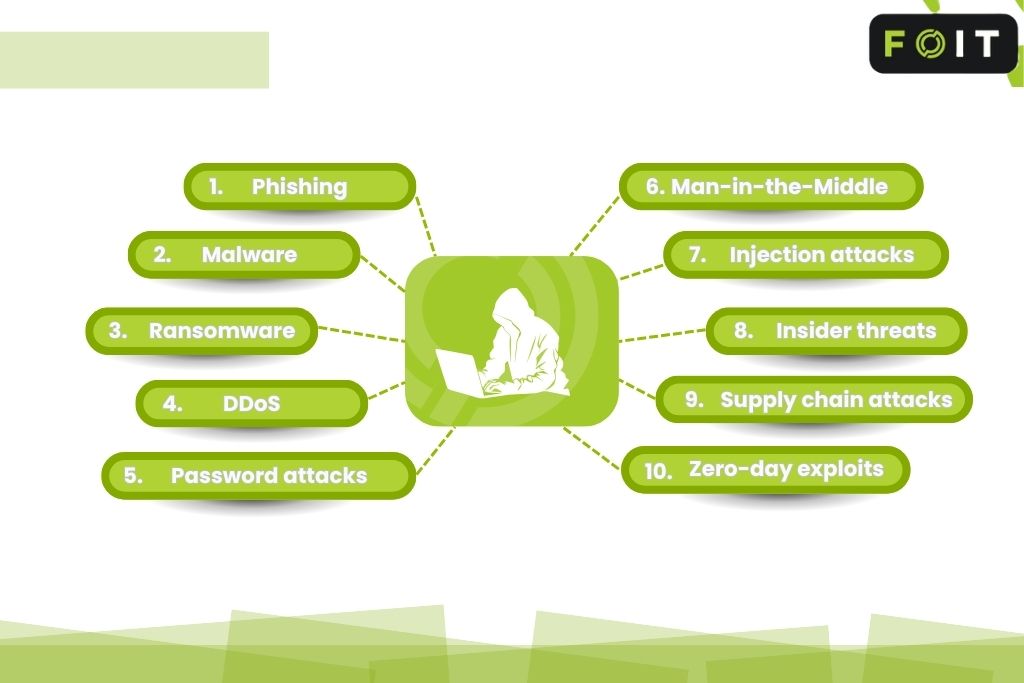
These are the 10 most common types of cyber attacks to watch out for:
1. Phishing
Phishing is a cyber attack that uses fake emails, messages, or websites to trick people into giving away sensitive information like passwords, credit card numbers, or login credentials. These attacks often appear to come from trusted sources, such as a bank, government agency, or internal staff. Clicking a link may lead to a fake login page or trigger malware downloads. It remains a serious threat because it targets human error, not just system flaws.
Example: An employee gets an email pretending to be from the Australian Tax Office, asking them to verify their tax file number. The link leads to a fake site that steals their login details.
2. Malware
Malware is short for “malicious software.” It’s a broad term covering viruses, worms, trojans, and spyware. These programs are built to damage, disrupt or spy on systems. A malware attack can install itself through a link, attachment or software download. Once inside, it may steal data, log keystrokes, or disable devices. It is often hidden inside other files, making detection harder without proper security controls.
Example: A user downloads what looks like a free PDF reader. Instead, it installs spyware that records everything typed on the keyboard, including passwords and banking logins.
3. Ransomware
A ransomware attack locks users out of systems or encrypts files, demanding payment to unlock them. Victims are often given short deadlines and face threats of public data leaks. These attacks increasingly target healthcare, education, and small businesses in Australia. Paying the ransom offers no guarantee of recovery and may lead to repeat attacks. Regular backups and system updates are key to preventing ransomware damage.
Example: A medical centre in Sydney finds its entire patient database locked overnight. A message appears demanding $10,000 in cryptocurrency within 72 hours or the data will be released online.
4. Denial of Service (DoS) & DDoS
Denial of Service (DoS) & Distributed Denial of Service (DDoS) attacks flood systems with fake traffic, making websites or networks slow or completely unreachable. DDoS attacks are harder to stop because they come from multiple sources at once. While they don’t steal data, they cause downtime, disrupt services and distract IT teams. Businesses often suffer financial loss and reputational damage during these attacks.
Example: An eCommerce website faces a DDoS attack right before a major sale event. Customers can’t load the site, leading to lost sales and reputation damage.
5. Password attacks
Password attacks use stolen credentials or automated tools to break into accounts. Attackers may use brute-force methods, phishing, or data leaks to gain access. Weak or reused passwords make it easy for cybercriminals to reach sensitive systems. Strong passwords, unique for each account, and multi-factor authentication can prevent unauthorised access.
Example: A hacker obtains a password leaked in a previous breach and tries it across multiple platforms. It works on the victim’s email and payroll login, giving the hacker full access.
6. Man-in-the-Middle (MitM)
A MitM attack happens when a hacker intercepts data being transferred between two parties, often over public Wi-Fi or compromised networks. The attacker can steal, read or alter the information being sent, including login details and financial records. These attacks are silent and hard to detect, making secure networks, encryption, and VPN use critical.
Example: A cafe customer logs into free Wi-Fi and accesses their banking app. An attacker on the same network captures login data by posing as the Wi-Fi gateway.
7. Injection attacks
Injection attacks target vulnerable applications by inserting malicious code into input fields, such as contact forms or search boxes. Common forms include SQL injection and cross-site scripting (XSS). Once executed, attackers can access databases, user accounts or even system controls. These attacks often result from poor input validation and weak security testing.
Example: A local council’s feedback form doesn’t filter input properly. A hacker inserts malicious code that allows them to access the council’s user database and extract email addresses.
8. Insider threats
Insider threats come from trusted people within an organisation, staff, contractors or former employees, who misuse their access. They might intentionally leak data or accidentally create vulnerabilities. Because insiders often have high levels of access, these threats can go undetected. Access control, activity monitoring and clear offboarding processes reduce the risk.
Example: A departing IT contractor copies sensitive client files onto a USB drive before leaving. Later, the data appears on a competitor’s platform.
9. Supply chain attacks
Supply chain attacks breach a business by targeting third-party vendors or software providers. When a supplier is compromised, attackers can move through connected systems to reach the main target. These attacks are hard to detect and often stay hidden for months. Vetting vendors, monitoring software changes and restricting third-party access can help reduce the risk.
Example: An accounting firm uses a third-party plugin in its payroll software. The plugin gets compromised in a supply chain attack, giving hackers a path into client financial records.
10. Zero-day exploits
Zero-day exploits target unknown software flaws that have not yet been patched by developers. Attackers move quickly before the vulnerability becomes public. These threats are hard to detect and often used in highly targeted attacks. Staying updated with security patches, using real-time threat detection, and applying layered security helps limit exposure.
Example: A cybercriminal discovers a vulnerability in a popular VPN service. Before the company can release a patch, they exploit it to access private files from businesses using the service.
How to prevent cyber attacks

Cyber attacks are preventable with the right steps in place. Most incidents happen due to weak security, outdated systems, or simple mistakes. Here’s how to stay protected:
- Keep software and systems updated. Apply updates and security patches as soon as they’re available. Outdated systems are a common target for attackers.
- Use multi-factor authentication (MFA). MFA adds an extra layer of protection beyond passwords. Even if a password is stolen, attackers can’t log in without a second form of verification.
- Install and maintain firewalls and antivirus. Firewalls block unauthorised access, and antivirus software detects threats like malware and ransomware. Keep both updated for full protection.
- Train your team regularly. Most cyber attacks start with human error. Ongoing training helps staff spot phishing emails, avoid risky links, and follow safe practices.
- Back up data securely. Regular backups reduce the damage of ransomware and other threats. Store them securely and test recovery often.
- Limit access and use role-based permissions. Restrict access based on roles. Fewer permissions mean less damage if a user account is compromised.
- Create a response and recovery plan. Have a clear plan for detecting, containing and recovering from a cyber attack. Fast action reduces the impact and speeds up recovery.
The risk behind cyber attacks
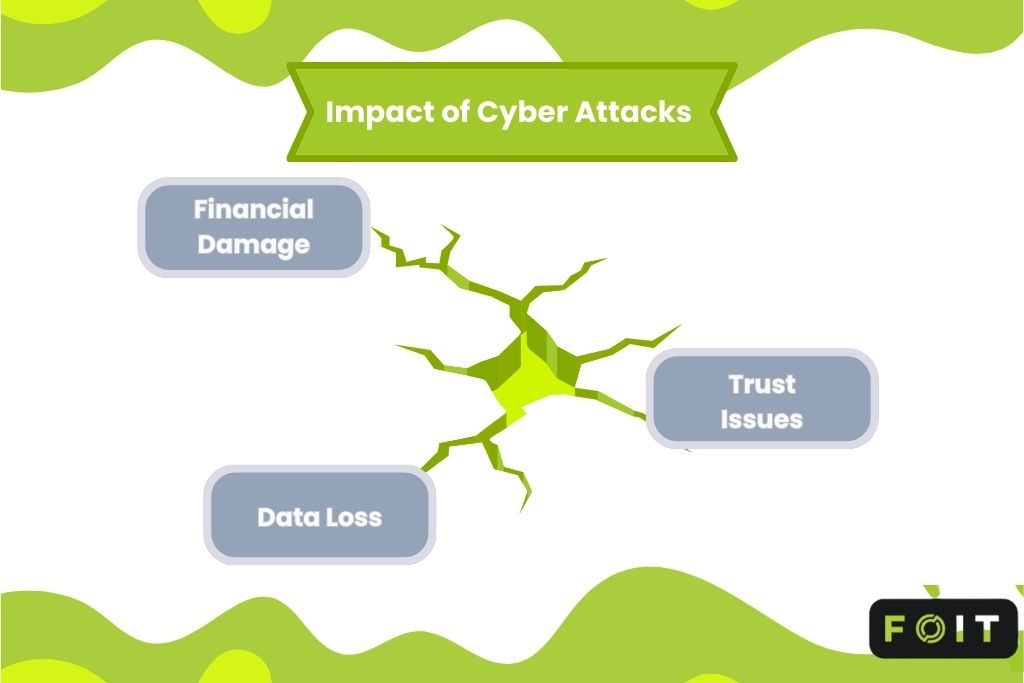
A cyber attack is more than a technical issue. It can bring damage to businesses and individuals. Once attackers gain access, systems, finances and trust can all suffer. These risks continue to grow as cybersecurity threats become more targeted and aggressive.
Impact on businesses and individuals
Data loss
When a cyber attack strikes, access to important files can be lost instantly. Attackers may delete, encrypt or leak sensitive data. Without strong backups or security controls, recovery becomes difficult. Data loss often leads to long delays and compliance issues, especially for regulated industries.
Financial damage
The financial impact of cybersecurity attacks can be severe. Businesses may face ransom demands, repair costs, downtime and lost revenue. Individuals can lose savings through stolen credentials or fake transactions. In many cases, cybercriminals target money first, and they move quickly.
Trust issues
Trust is hard to rebuild after a breach. Customers may stop using a service. Partners may walk away. Public confidence fades fast when private data is exposed. For many businesses, the loss of trust after a cyberspace attack is more damaging than the attack itself.
Who’s behind these attacks?
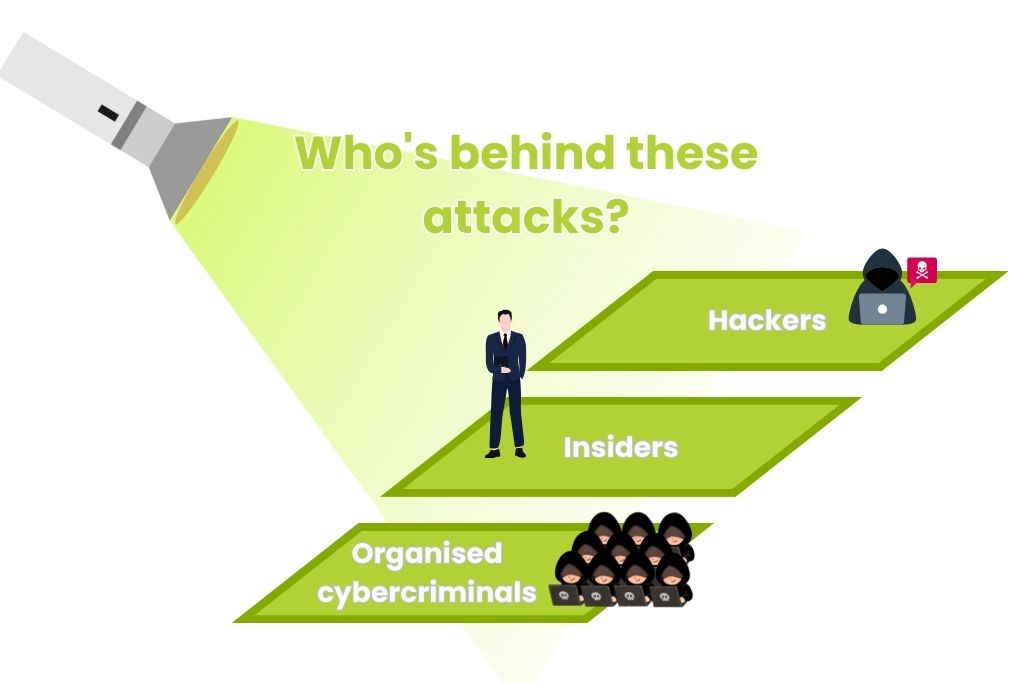
Cyber attacks don’t just happen, they’re planned and carried out by people with a goal. In most cases, attackers fall into three main groups: hackers, insiders and organised cybercriminals. Each has different motives, but all can cause serious harm.
Hackers
Hackers often target systems just to prove they can break in. Some aim to expose flaws, while others want to steal data or disrupt operations. Not all hackers are malicious, but those behind cyber attacks usually have financial or political motives. Their methods change constantly, making them unpredictable.
Insiders
Insiders are current or former employees, contractors or third-party staff who have access to systems. They may act out of revenge, for profit, or by mistake. Because they’re already trusted, their actions often go unnoticed until damage is done. Insider threats remain one of the hardest types of cyber attacks to detect.
Organised cybercriminals
Organised cybercrime groups run like businesses. They plan, fund and carry out large-scale cyber attacks to steal money or sensitive data. These groups use phishing, ransomware, and supply chain attacks to target government services, banks and businesses. Many operate internationally and use advanced tools to stay hidden.
Frequently asked questions
How can small businesses with limited budgets improve their cyber security?
Start with the basics. Keep software updated, use strong passwords with multi-factor authentication, and regularly back up data. Even low-cost tools like firewalls and antivirus software offer solid protection. Most common types of cyber attacks exploit simple mistakes, not advanced systems. Training staff to spot phishing emails also makes a big difference.
What’s the difference between a targeted attack and a broad attack?
A targeted attack focuses on a specific person, business, or system, often using social engineering tactics or custom malware. A broad attack spreads widely and randomly, hoping to catch vulnerable victims. Phishing emails, for example, can be either targeted or broad depending on how specific the message is. Both forms of cyberspace attacks can be damaging.
How long does it usually take to detect a cyber attack?
In many cases, detection takes weeks or even months. Some breaches aren’t discovered until data is leaked or systems fail. Faster detection relies on strong threat detection tools, staff awareness, and regular system monitoring. The longer a cyber attack goes unnoticed, the more damage it can cause.